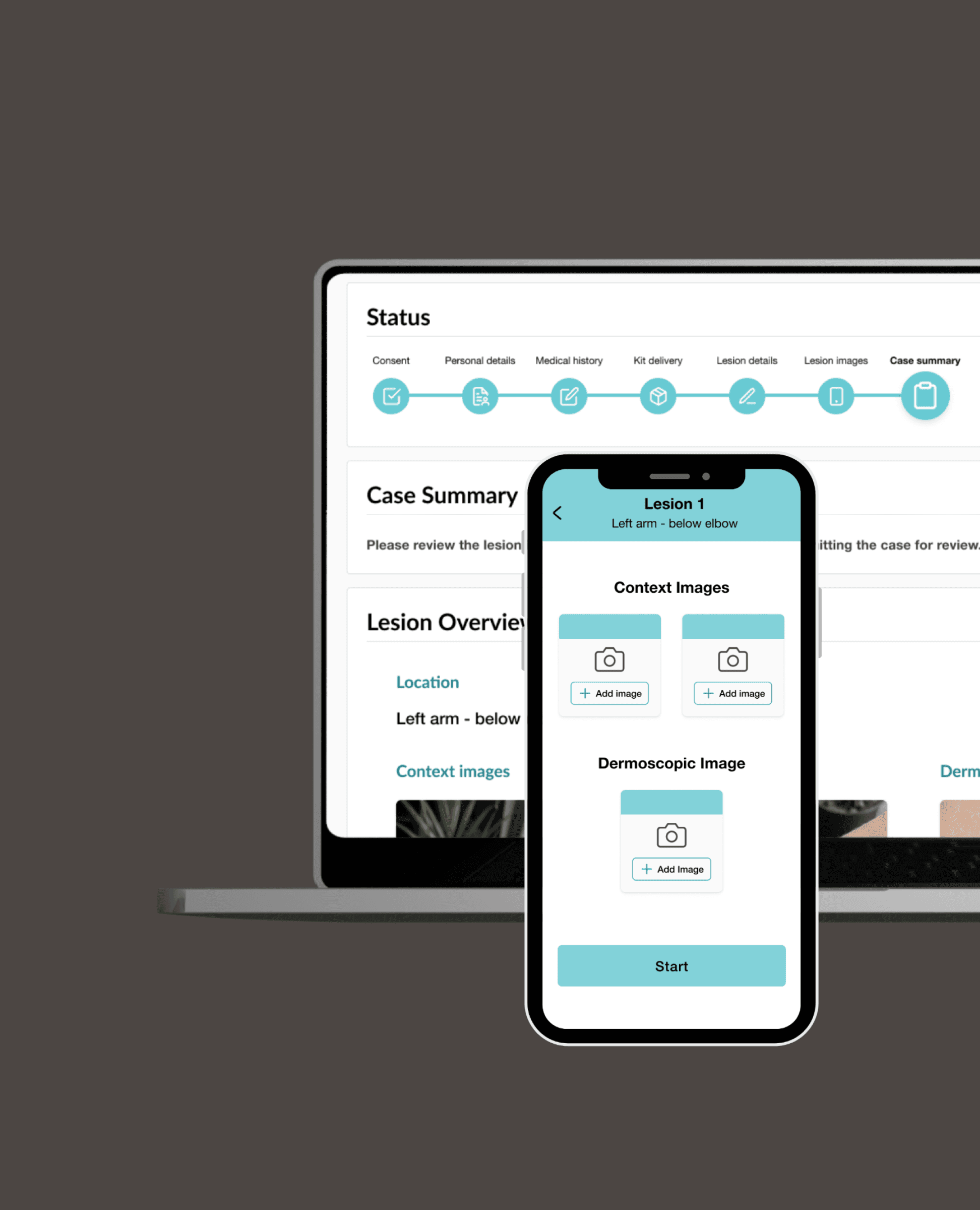
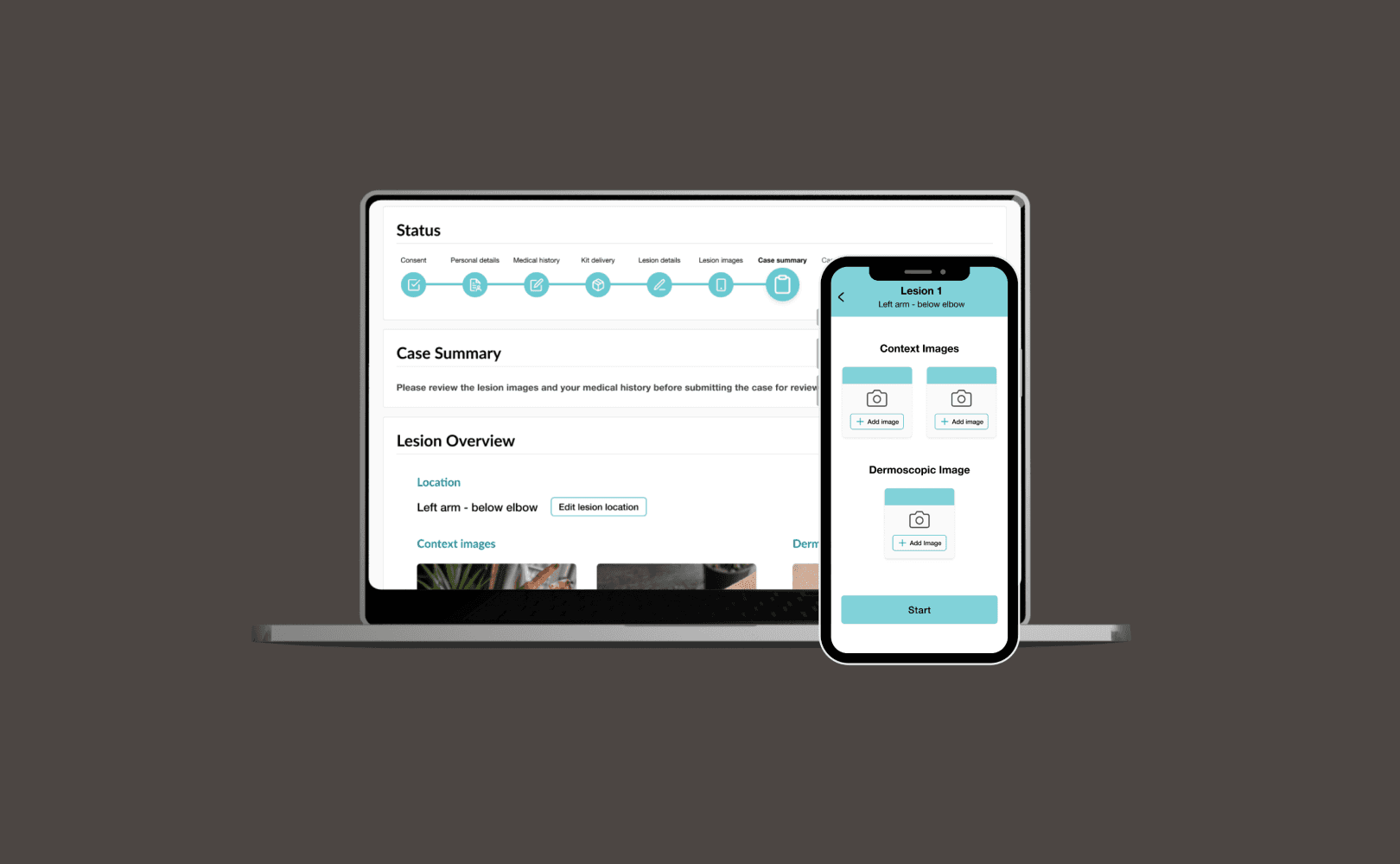

Project Overview
The UK faces a critical shortage of dermatologists, with wait times for skin cancer screenings reaching dangerous lengths. Skin Analytics' AI-supported teledermatology service helps bridge this gap by enabling remote skin assessments.
The remote service includes a web platform, used in capturing patient data and medical history, and a mobile app used to guide patients in taking photos of their skin lesions needed for a diagnosis. A version of the mobile app is also being used by medical photographers and clinicians to capture images during face-to-face appointments.
The Challenge
The existing system faced significant usability challenges:
35% of patient-submitted images were unsuitable for assessment
Medical photographers reported workflow inefficiencies during in-clinic sessions
Support team was overwhelmed with basic usage questions
Multiple app versions created maintenance complexity
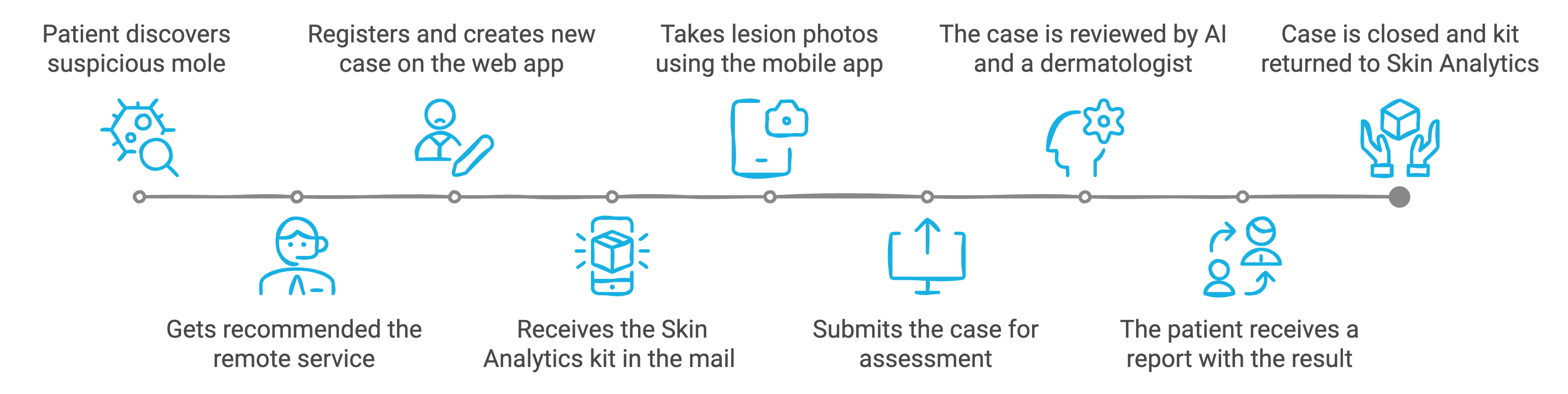
How the Remote Service Works
Discovery & User Research
To fully understand the scope, I began by exploring the existing service, the user types and their pain-points.
Data Analysis
I reviewed existing qualitative and quantitative feedback, from surveys, support queries, and complaints collected over a year of service. I first analysed the usage patterns, usability issues and drop-off points to help identify common issues faced by users.
Analysed 12 months of support tickets to identify common themes
Reviewed 500+ patient feedback submissions
Analysed app usage patterns and drop-off points
Interviews
I also conducted interview sessions with medical photographers and clinicians, who used the app during face-to-face appointments. Going through their process and how they were using the app clarified their pain points, usability challenges, and additional requirements for in-clinic use.
Interview sessions:
6 medical photographers and heath care assistants
2 dermatologists
2 support team members
Heuristic Analysis: Deep Dive into Service Limitations
As part of my discovery process, I also conducted a rigorous heuristic analysis to review the user experience. The goal was to to identify and prioritise design and functionality challenges within the existing service.
Key Insights
By analysing all the data gathered in the research, I gained valuable insights that guided the next steps in the redesign, ensuring they were aligned with user needs and expectations. Main insights were around:
Process
User confusion during case creation and submission
Rigid process with minimal user navigation and editing options
Image Capture Challenges
Elderly users struggled with dermoscope attachment and using a new phone
Unclear guidance led to poor image quality
No ability to review or retake images
Clinician Workflow Barriers
Insufficient flexibility for complex cases
Image upload delays disrupted patient flow
To help visualise the findings and highlight areas with the highest impact, I categorised the identified pain points, color-coded and overlayed them onto the process map.
The findings became the cornerstone of the redesign strategy, directly informing design principles, user flow updates, interface architecture and feature prioritisation.
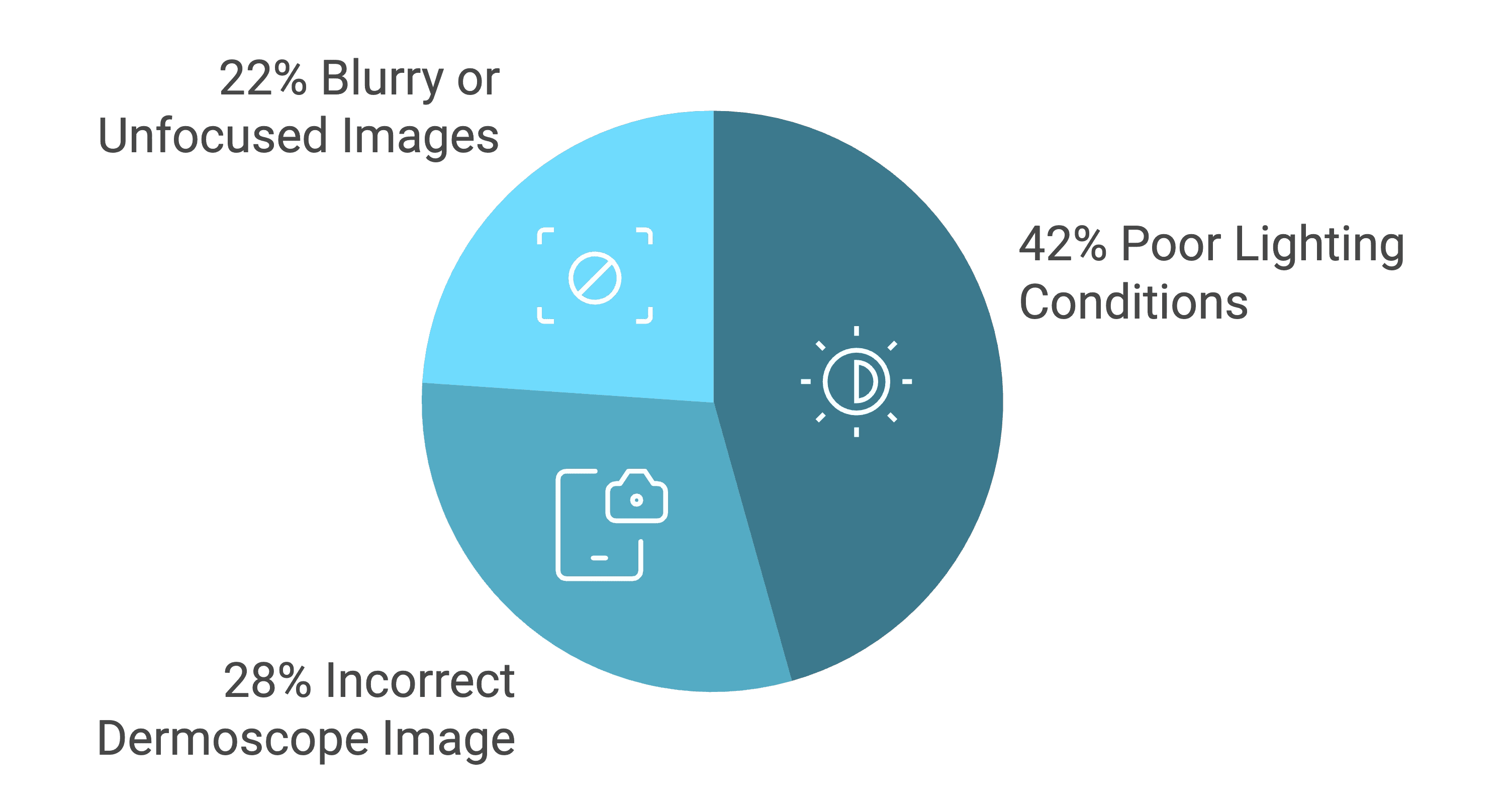
Common Image Quality Issues in Submissions

Goals
Simplify patient registration, medical history capture, and image uploads.
Enhance the quality of images submitted by patients and reduce the number of calls to support.
Ensure seamless usability for both remote patients and in-clinic medical staff.
Create a unified mobile app that could serve both remote patients and clinicians, to simplify updates and version control.
Perform an accessibility audit across the service to identify issues and document improvements.
Key Features
guidance and communications
Challenges
Remote patients experienced confusion during case creation and image submission, resulting in an increase in workload for the support team
Elderly users struggled with the process of using a new mobile device and a dermoscope to capture two types of images for each skin lesion they wanted to be assessed.
Submitting images of lesions that would not be suitable for teledermatology, having been missed in the initial phone screening
Solutions
Improve user guidance throughout the service by:
Including a step-by-step guide of the process on the homepage
Adding a video guidance tutorial on how to take good images
Updating email notifications to reflect the next steps and case progress more accurately
Including a series of pop-ups that would triage and advise the patients if their lesion would be suitable for the remote assessment before they actually start the process
“It would have been nice to understand what the process was beforehand. Was not expecting to recieve a phone in the post!”
— Remote patient

Case Start Page - Before and After
navigation and editing options
Challenge
The initial flow was quite rigid with minimal user navigation and editing options.The impact translated into 28% support tickets related to basic usability, with users not being able to edit their details and images.
Solutions
Improved progress visibility with clear case steps
Added navigation controls
Implemented editing functionality for lesion images and medical history answers
“It would help if more comprehensive instructions are given with the equipment. I got it wrong and there is no ‘delete and start again’ button.”
— Remote patient
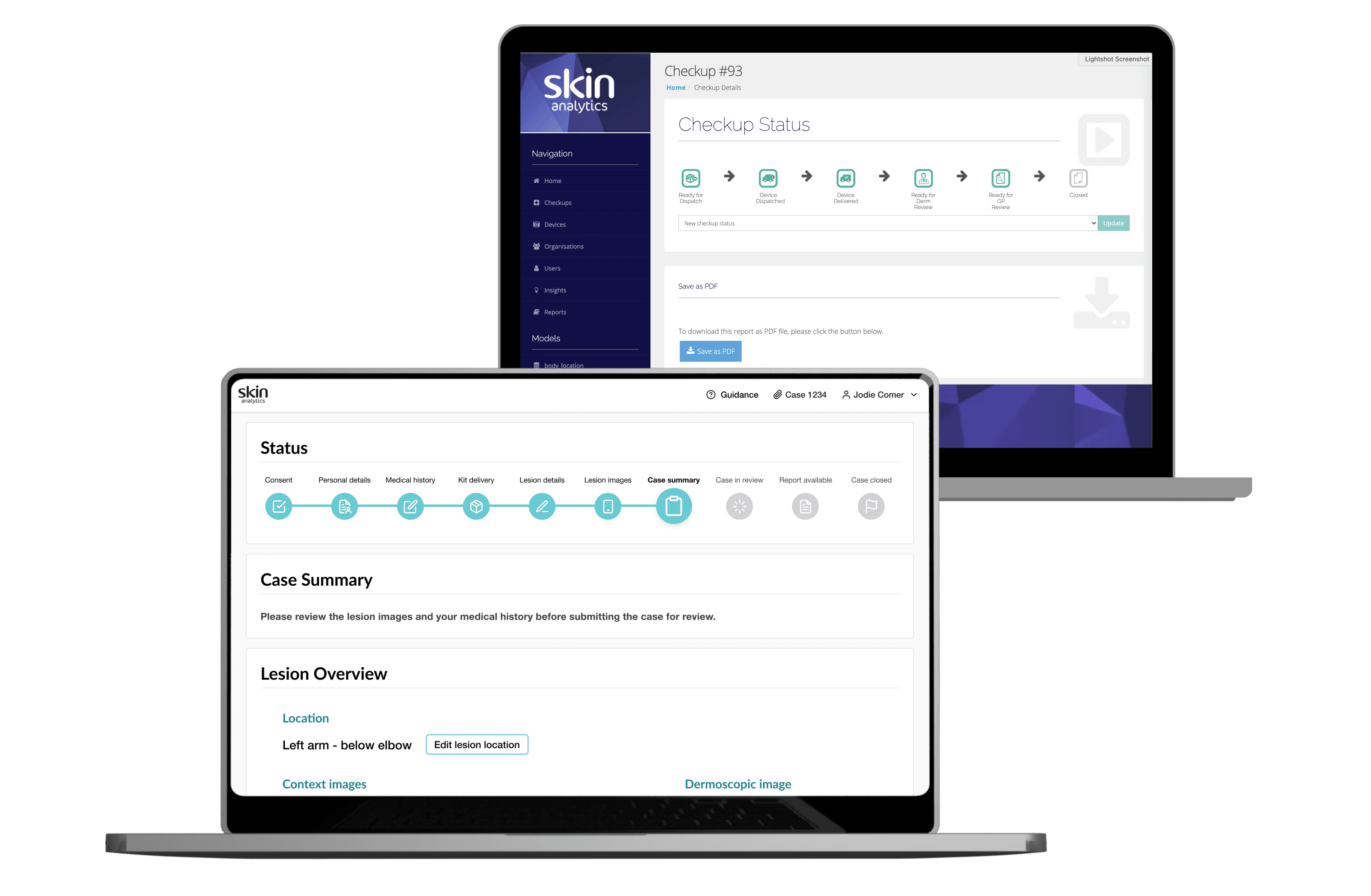
Case Status and Steps - Before and After
Image Capture: Gallery Screen
Challenges
Remote patients:
Unclear guidance led to poor image quality and a high rate of unusable images
No ability to review or retake images
Clinicians:
Rigid process didn't match clinical reality
Insufficient flexibility for complex cases
Solution: An intuitive home screen showing:
Clear overview of required images
Visual progress indicators
Contextual guidance based on user and image type
Real-time quality checks
Preview and retake capabilities
A new home gallery screen offers a visual overview of how many images users need to take and whether they require the dermoscope. It includes a CTA that starts the process for them in a logical way.The new streamlined image-taking flow makes the process more intuitive and guides remote patients and clinicians through taking each set of images, for each lesion in a case.
“My wife did the picture taking and found it difficult to work out what to do.”
— Remote Patient
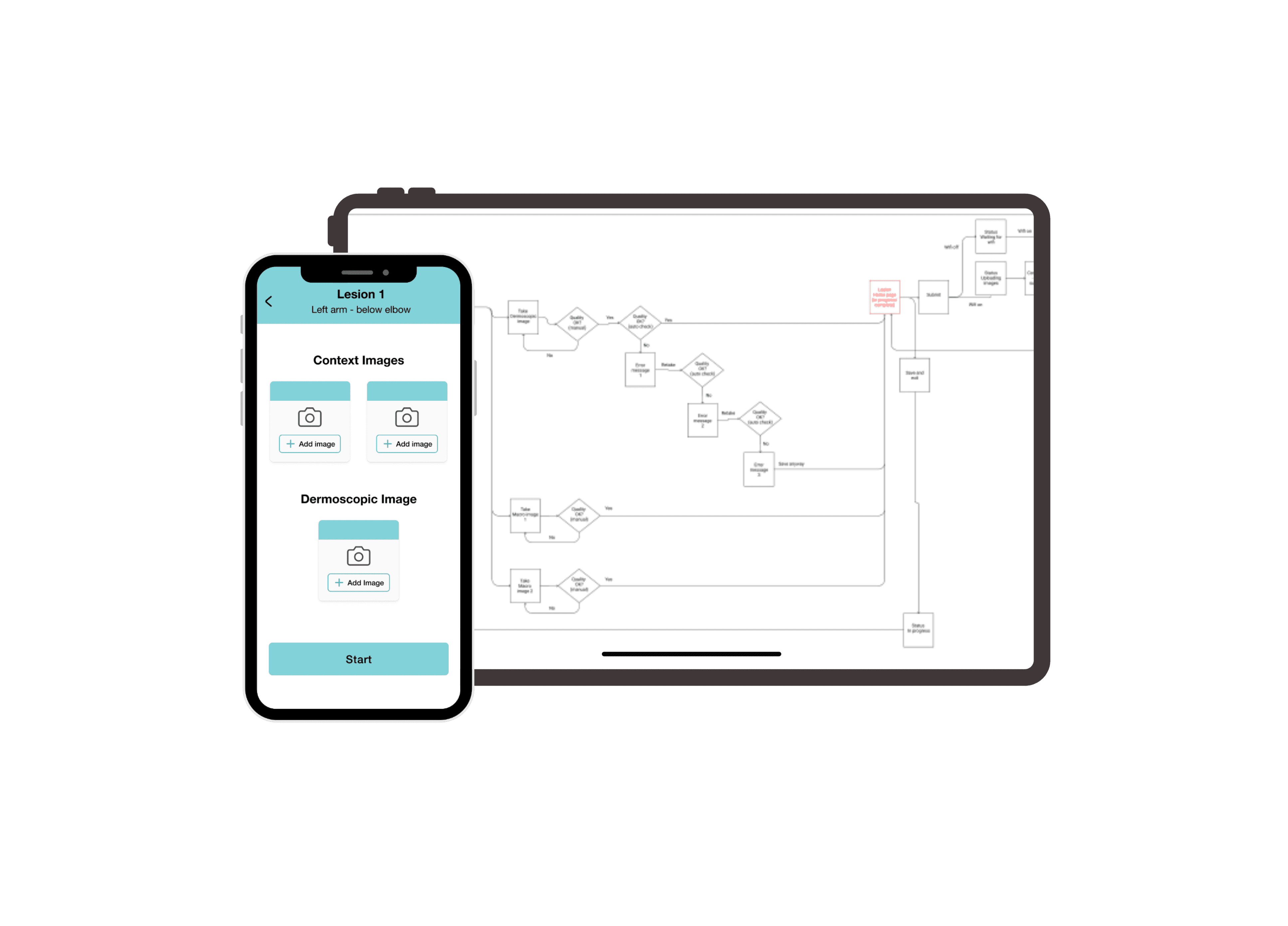
Image Retake
Challenge
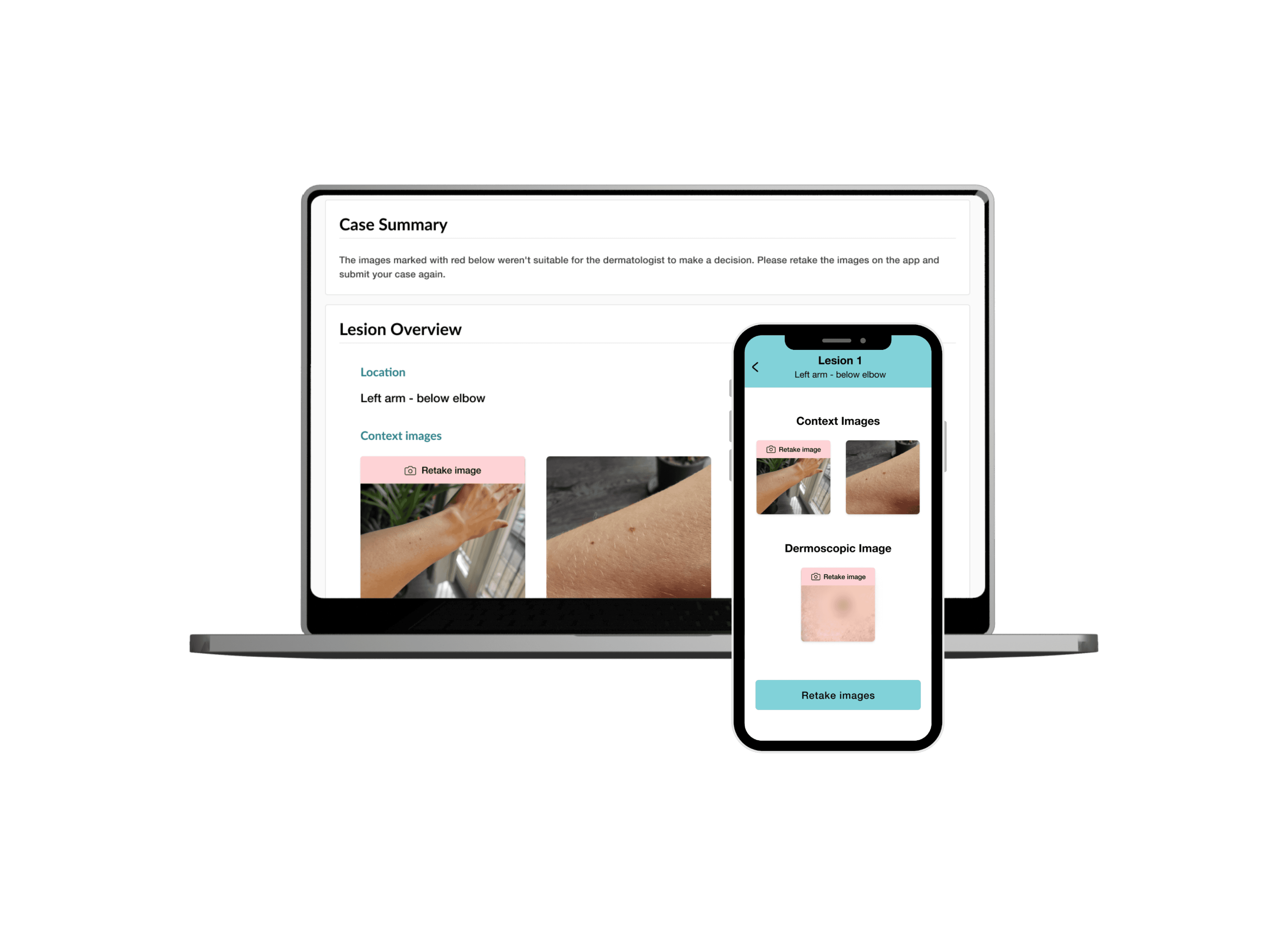
Patients often submitted images that were unusable for clinical assessment, leading to frustration and delays in their case. Resubmitting images was quite cumbersome and forced the patient to retake all the images in the case although just one had been marked as unsuitable.
Solution
The new feature allows dermatologists to mark images as unsuitable, providing specific reasons and additional notes. This triggers an automated email to the patient, which included the reason and guiding them back to the app to retake the flagged images.
The image needing a retake would be highlighted both in the case and on the mobile app. Instructions would guide the patient through the process of retaking the new image and submitting the case.
This feature helped prevent repeated errors and also tracked the reasons on common rejection reasons for future enhancements.
Clinician features
Challenge
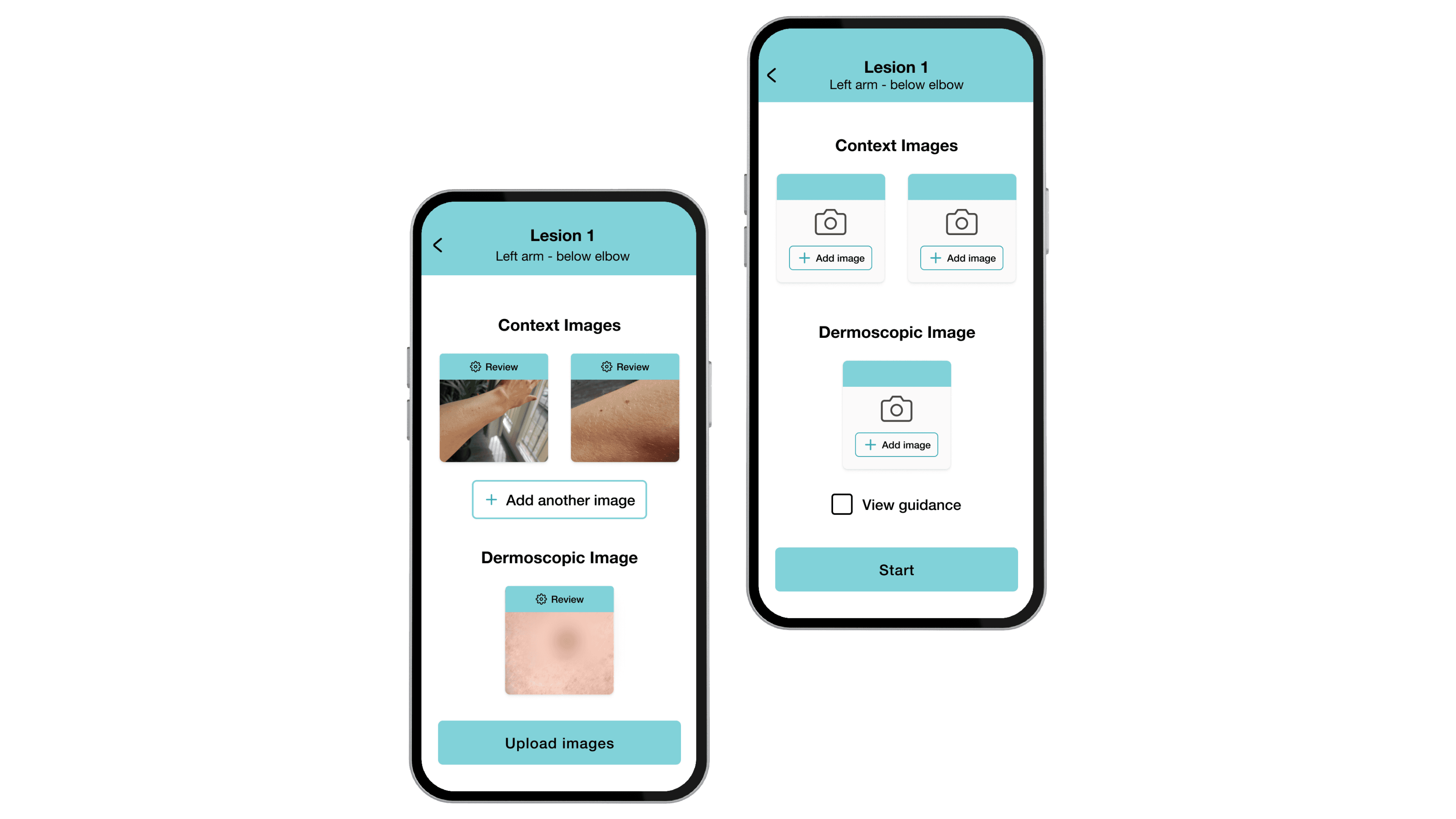
Medical practitioners using the app in a hectic clinical setting required an adaptable image-capturing process.
Solution
To solve this, new features were introduced to enhance their workflow: An option to capture more context photos (up to 8) for situations needing more than a pair of images. A toggle for adept clinicians to optionally hide on-screen assistance. Permission to bypass capturing the dermoscopic picture if the case wasn't appropriate for a close-up image.
Impact Overview
The redesign transformed a critical healthcare service, delivering measurable improvements across key metrics:
Improving patient satisfaction (NPS score increased from 53 to 72)
35% reduction in image retake requests
Decreasing support call volume by 42%
Increasing successful first-time submissions
Clinician feedback
The app received positive feedback from clinicians, who appreciated the flexibility and additional features.
Streamlined workflow
The unified app simplified updates and version control, improving operational efficiency for both in-clinic and remote use.
Next project