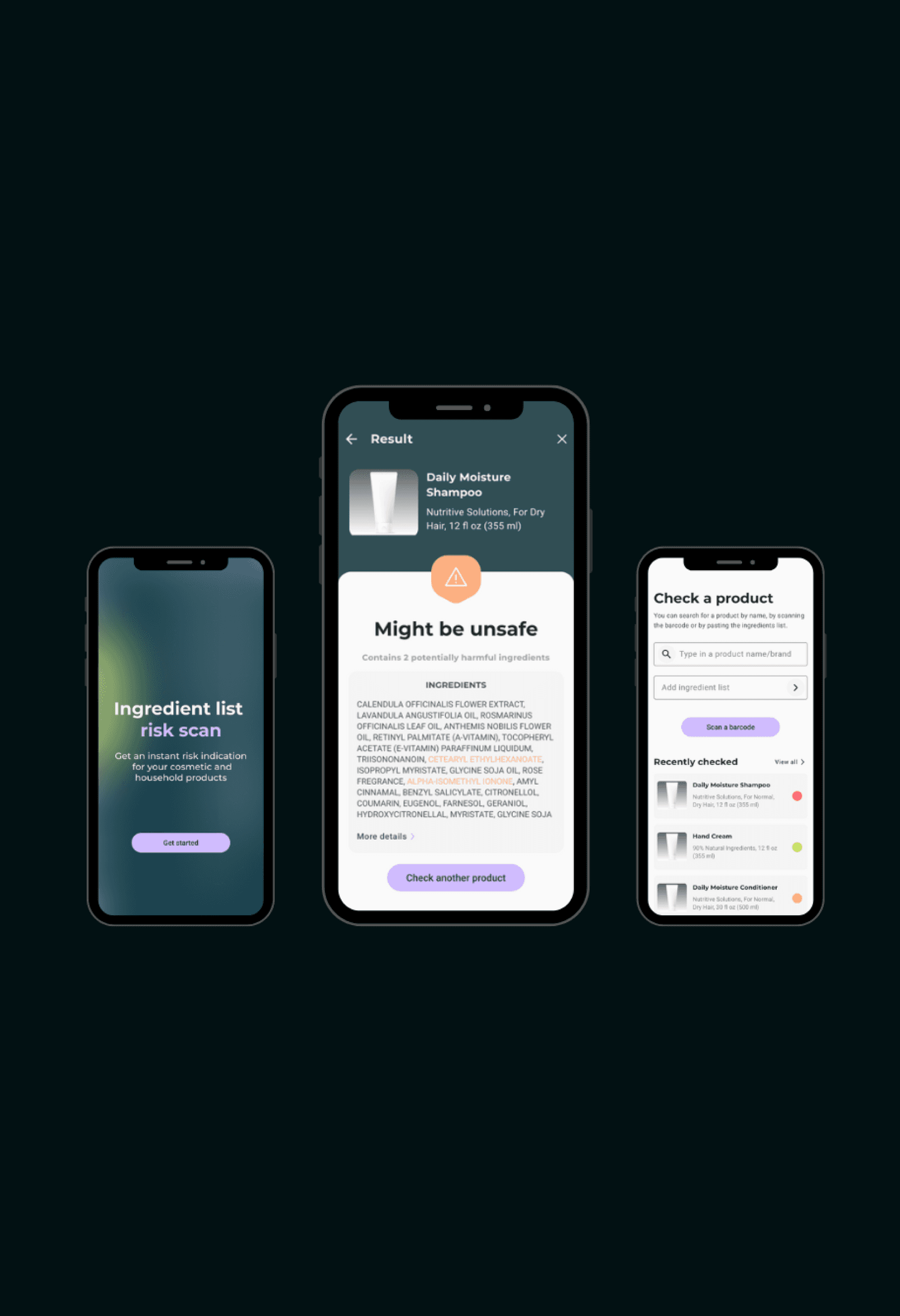
Case study hero image

Ingredient Scan
Mobile App

Scan cosmetic product barcodes to check ingredient safety

The Ingredient Scan app is designed to help users make safer, healthier choices when selecting household and cosmetic products. By scanning product barcodes, users can instantly receive a clear health risk rating, simplifying the process of understanding complicated ingredient lists.
The app highlights harmful ingredients and suggests safer alternatives, allowing users to make informed decisions quickly and easily. The prototype was used to test the market viability of an idea.

Client

Consultancy

Sector

Health, B2C

Duration

4 weeks

my role

UX/UI Design

Duration

4 weeks

my role

UX/UI Design

Duration

4 weeks

my role

UX/UI Design

I have removed or altered any sensitive details in this case study to comply with my NDA. The content presented here is entirely my own and does not necessarily represent the views of my employer or my client.

Ingredient Scan
Mobile App

Scan cosmetic product barcodes to check ingredient safety

The Ingredient Scan app is designed to help users make safer, healthier choices when selecting household and cosmetic products. By scanning product barcodes, users can instantly receive a clear health risk rating, simplifying the process of understanding complicated ingredient lists.
The app highlights harmful ingredients and suggests safer alternatives, allowing users to make informed decisions quickly and easily. The prototype was used to test the market viability of an idea.

Client

Consultancy

Sector

Health, B2C

Duration

4 weeks

my role

UX/UI Design

Duration

4 weeks

my role

UX/UI Design

Duration

4 weeks

my role

UX/UI Design

I have removed or altered any sensitive details in this case study to comply with my NDA. The content presented here is entirely my own and does not necessarily represent the views of my employer or my client.

Project Goals

Identify Products

Allow users to identify a product and receive a health rating, by scanning the barcode using their phone camera.

Flag Ingredients

Simplify ingredient lists, flagging any harmful components in a user-friendly way.

Add New Products

Keep the database up to date by allowing users to add a new product if it was not found on the initial scan.

User Flow

I began by defining the user and the app’s primary user flow to help validate existing assumptions and features to be included.

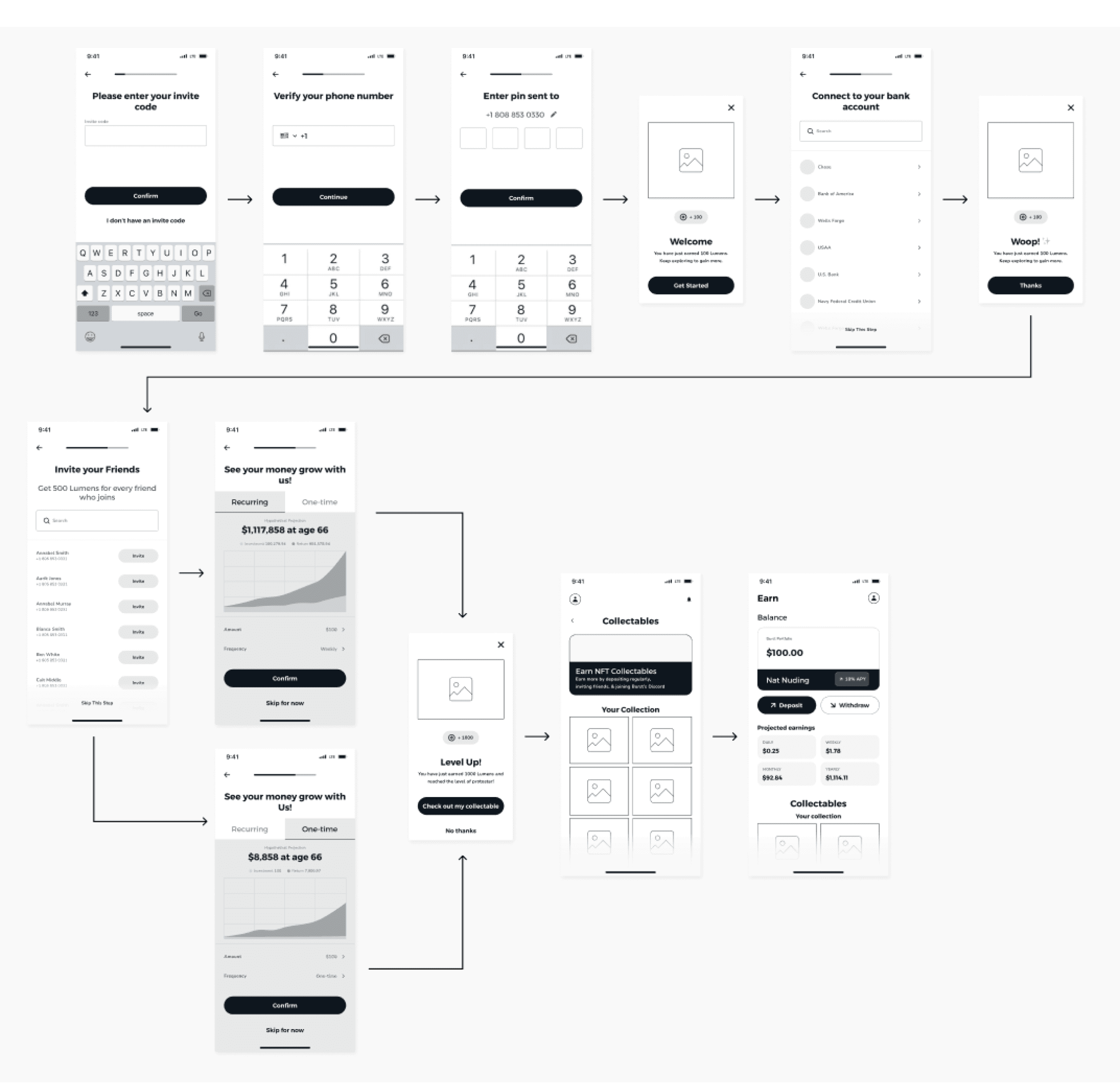
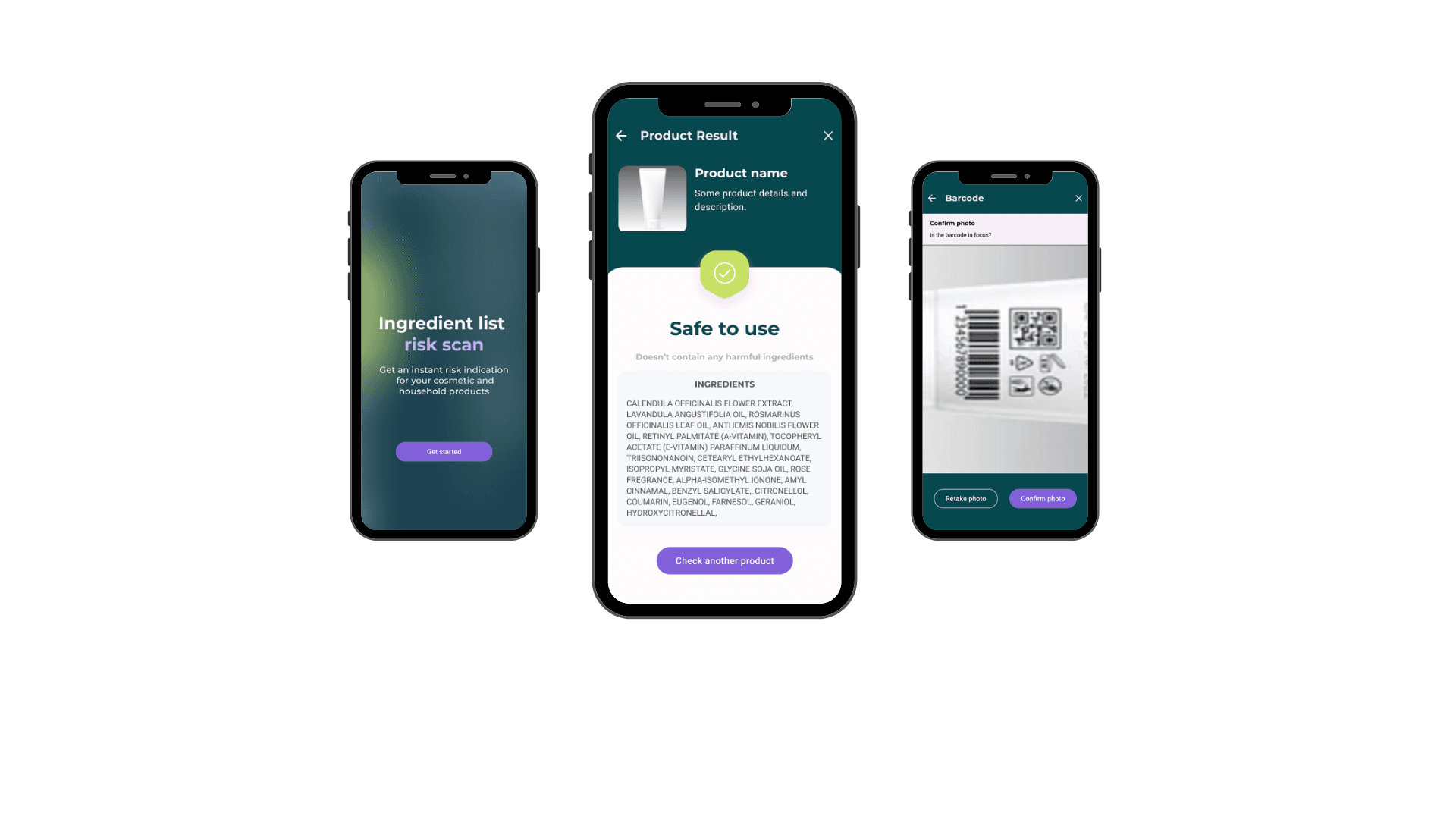
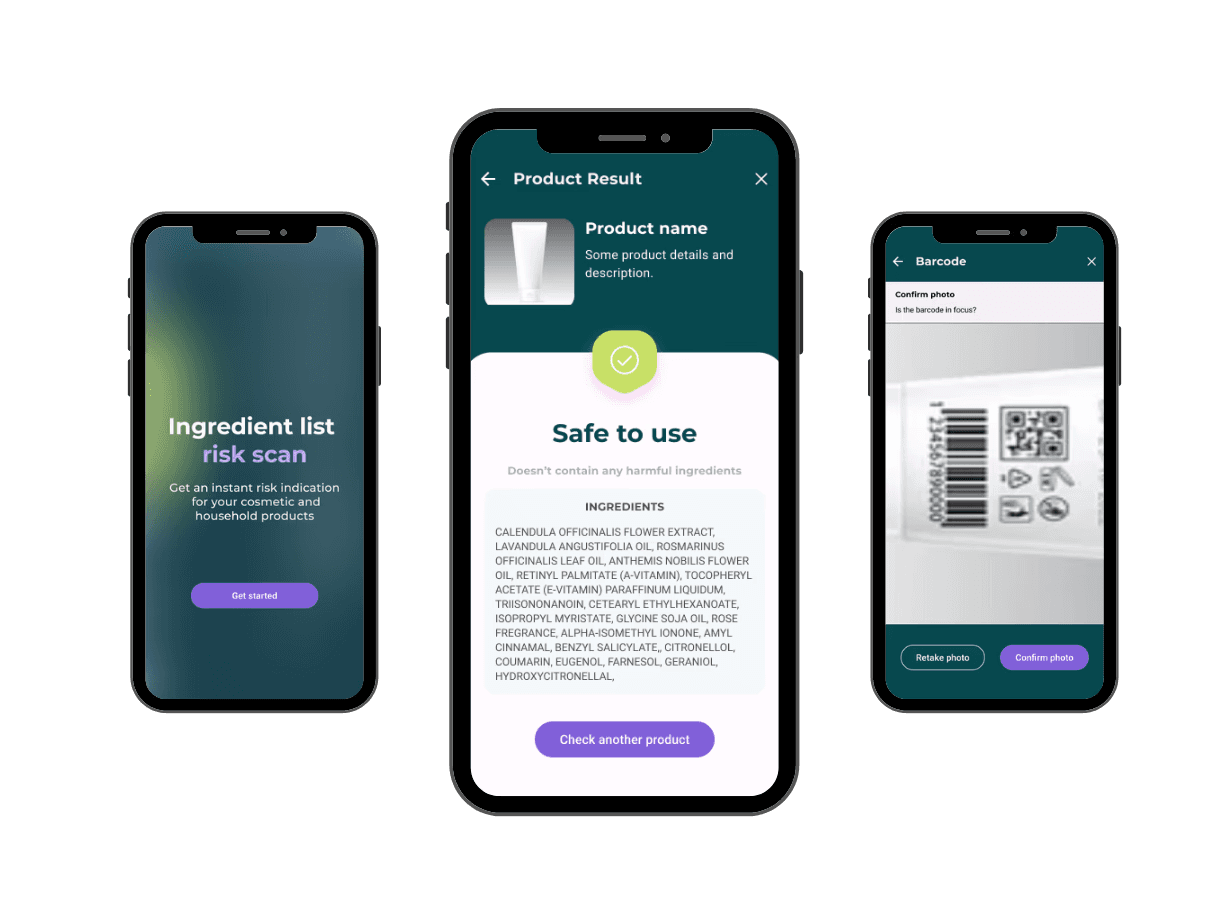
Users begin by launching the app, which takes them to a data capture form if they are a new user, or straight to the scanning page if they used the app before. They can then scan product barcodes, get product safety ratings, view the ingredient list with highlighted harmful ingredients and also a list of product recommendations.

Additional features for monetisation were discussed with the client for a later version but out-of-scope for now, such as limiting the number of free scans and a point system for adding new products.

Wireframes

I created the low-fidelity wireframes to outline the app’s key screens and the prototype was tested with three users for initial feedback.

During a remote meeting with the client, we also discussed additional features to enhance the user experience.
Key Features

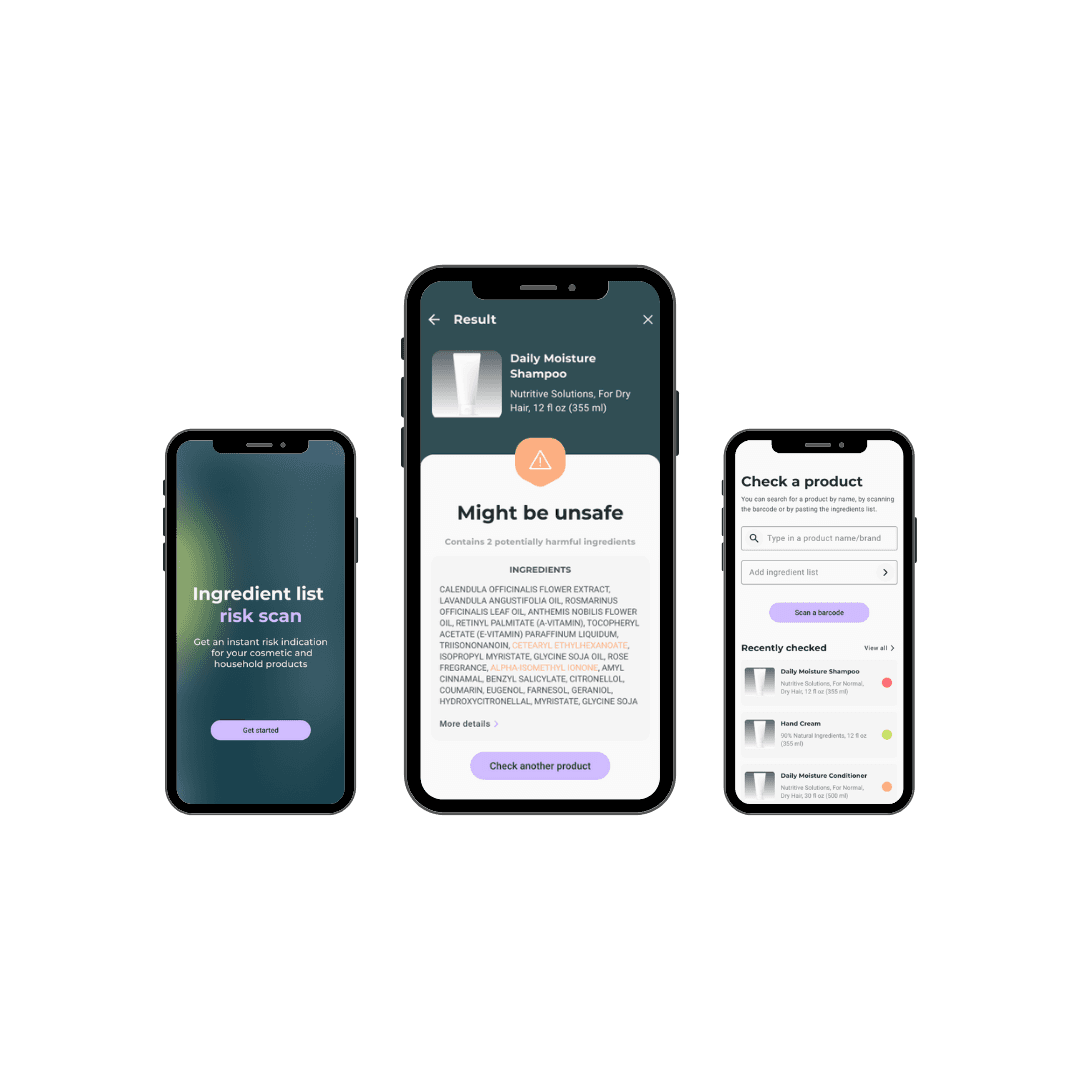
After iterating on the feedback, key feature updates when moving to high-fidelity designs included:

Manual Search
Users can manually search for products instead of relying solely on barcode scanning.

Copy/Paste Ingredient list
Users can copy/paste an ingredient list, while online shopping.

Clear Risk Ratings
A simple, color-coded system (e.g., green for safe, red for harmful) helps users quickly understand the danger.

Recently Checked and Safer Choices Product List
A list of recently checked products on the homepage and after a product is scanned, a list of safer alternatives.
Database Gaps

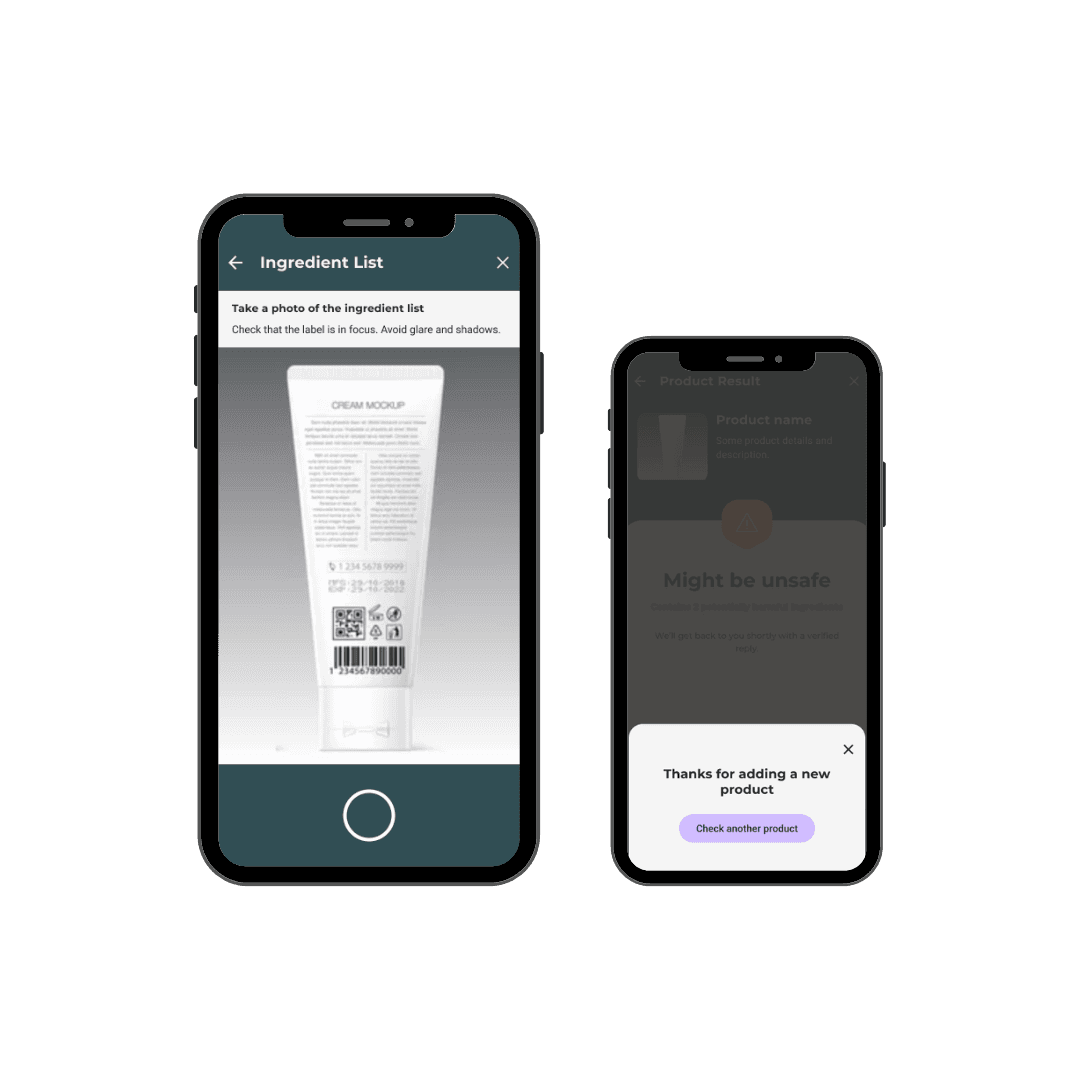
Recognizing that the database might initially lack some products, we needed a way for the user to add a new product if it was not found on the initial scan.

Add New Product

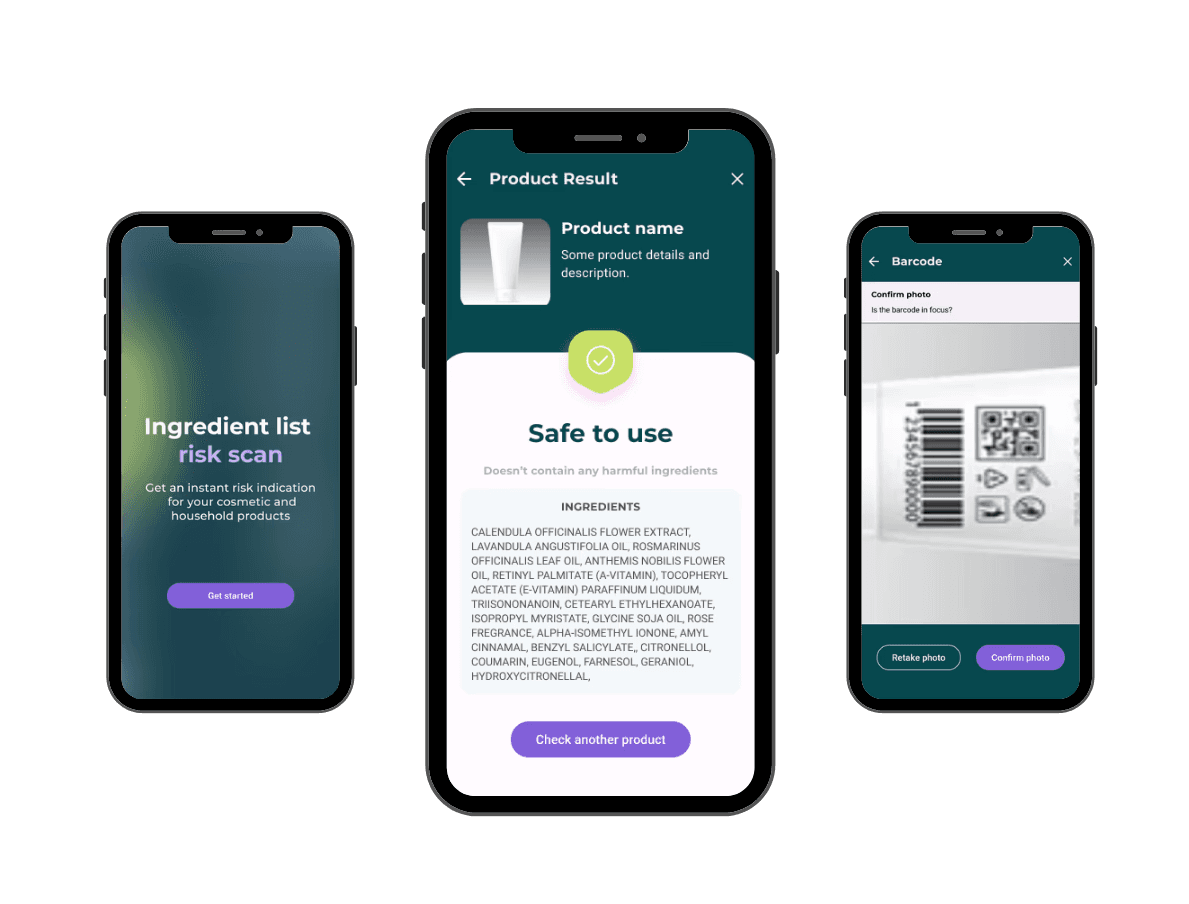
The new feature takes the user through the guided process of submitting a new product, by taking photos of the product, ingredients and packaging. The flow includes detailed guidance to ensure quality photos and help improve the app's database content.

Because the dangerous ingredient list constantly updates, the new products would be first submitted for review and checked thoroughly before being added to the database.
Results & Next Steps
The prototype will inform future design and has the potential for significant growth and impact. Several additional features were identified and discussed with the client as future improvements if more time and budget were available. These include:

  • Feedback and Risk Rating: Tailoring product recommendations based on user details.

  • Educational Content: Integrating an educational section to inform users about product safety and health impacts.

  • Expanded Scanning Capabilities: Extending barcode scanning to include additional product categories.


The prototype will inform future design and has the potential for significant growth and impact. Several additional features were identified and discussed with the client as future improvements if more time and budget were available. These include:

  • Feedback and Risk Rating: Tailoring product recommendations based on user details.

  • Educational Content: Integrating an educational section to inform users about product safety and health impacts.

  • Expanded Scanning Capabilities: Extending barcode scanning to include additional product categories.

Create a free website with Framer, the website builder loved by startups, designers and agencies.